

Snap it. Forget it.
Snap it.
OPERO files it.
The newest way in the events industry to never forget anything. Take a photo of a receipt, an invoice, a delivery note or a rider. OPERO uploads it in seconds, AI reads it and files it in Documents for you to check later.
14-day free trial · No credit card · Cancel anytime
Why it works
Nothing gets lost between
the stage and the office.
We built it for our own events, and it is the feature our team uses most.
Seconds, not evenings
Snap it where it happens. No pile of paper waiting for Monday.
AI does the typing
Type, amount, date, number and the other party, read for you.
Works without signal
Basement, field or tour bus: it uploads when you are back online.
On your phone
Tap +, snap, upload.
That is all.
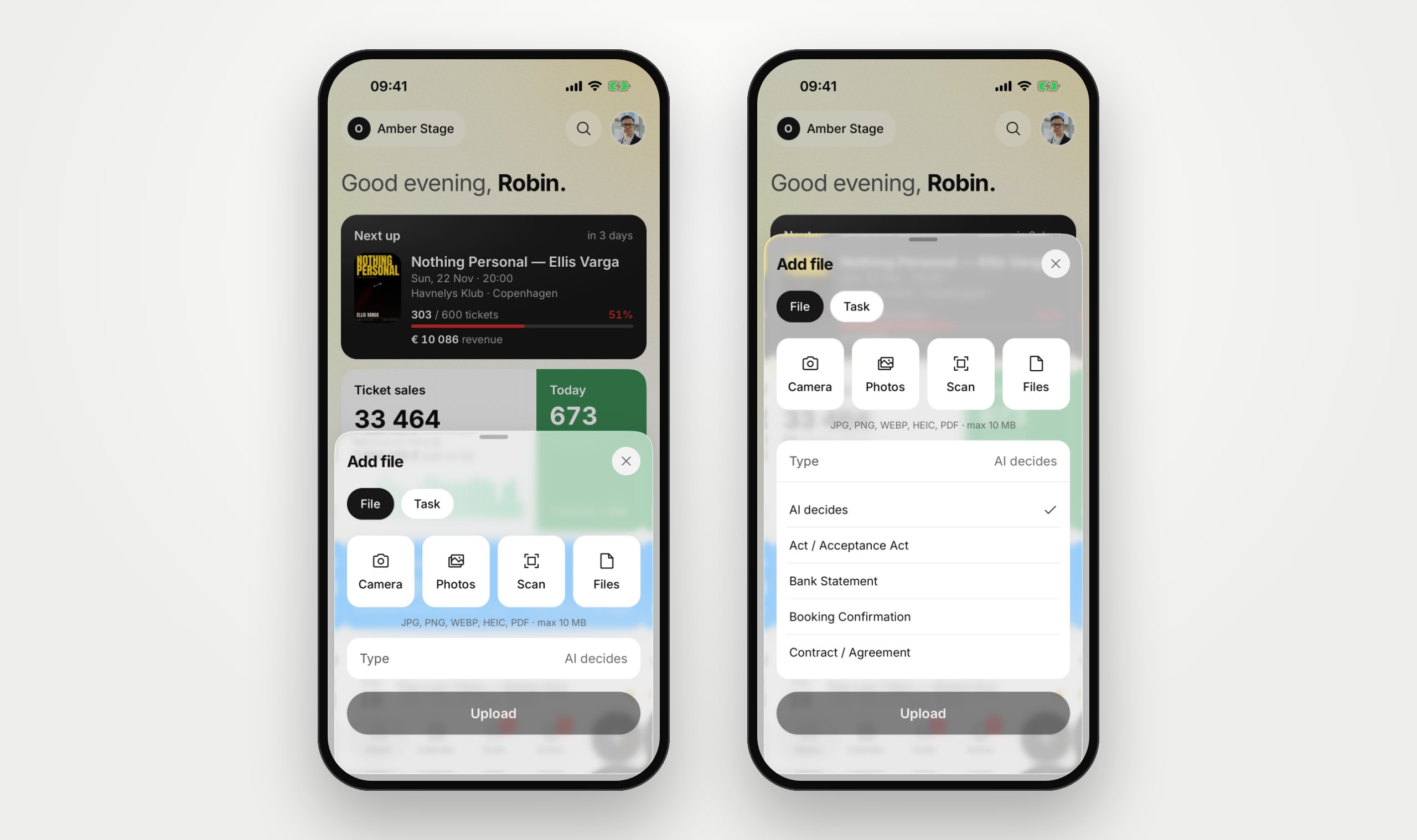
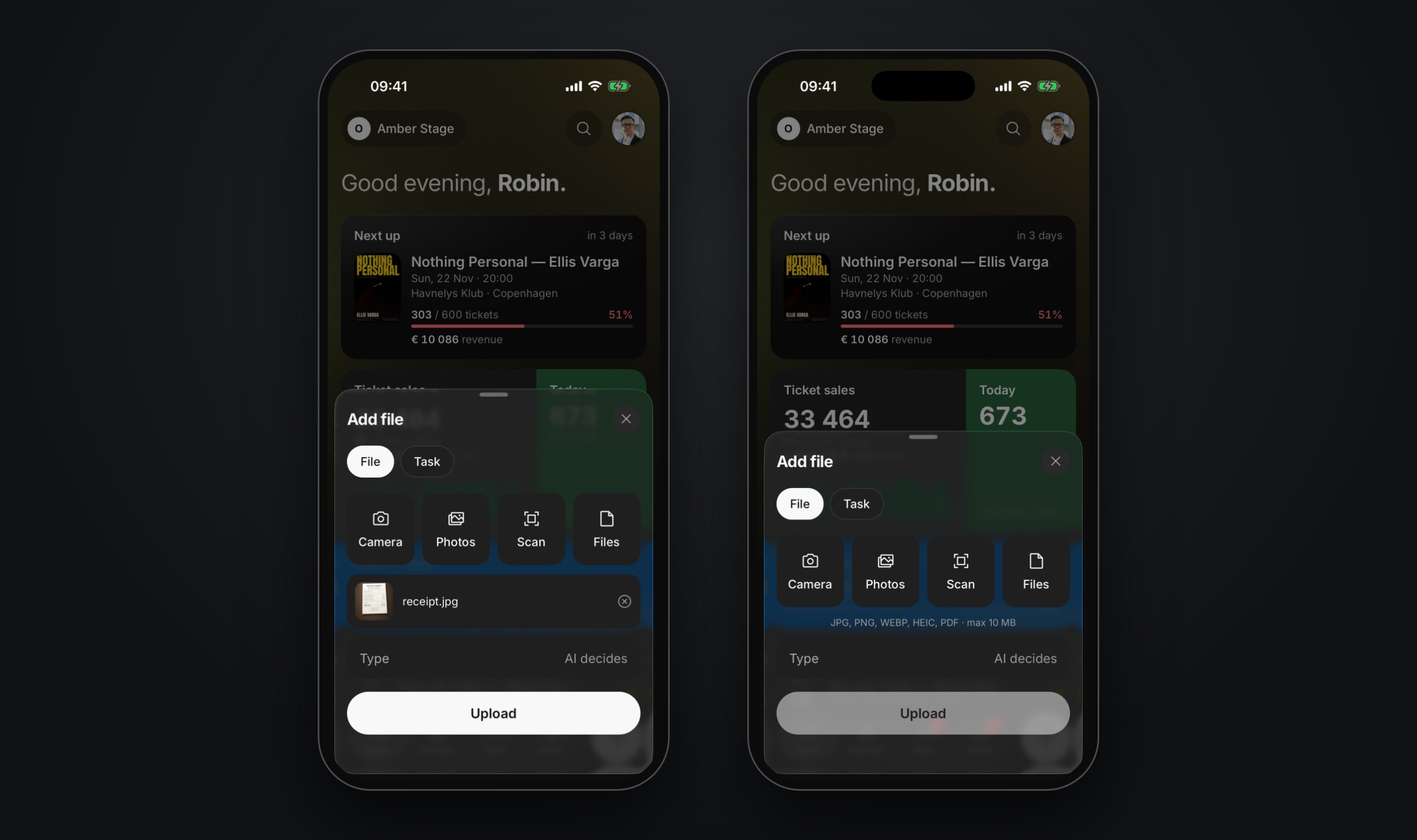
The add button is on every screen of the OPERO app. Use the camera, pick photos, scan a contract of several pages into one PDF, or attach a file. Leave the type to the AI.
 Camera, Photos, Scan and Files in one sheet
- Several pages scanned into one PDF
- Type: AI decides, or choose it yourself
- JPG, PNG, HEIC and PDF up to 10 MB

 Read more in the Help Center →

AI reads it
Filed and summarised
before you are back.
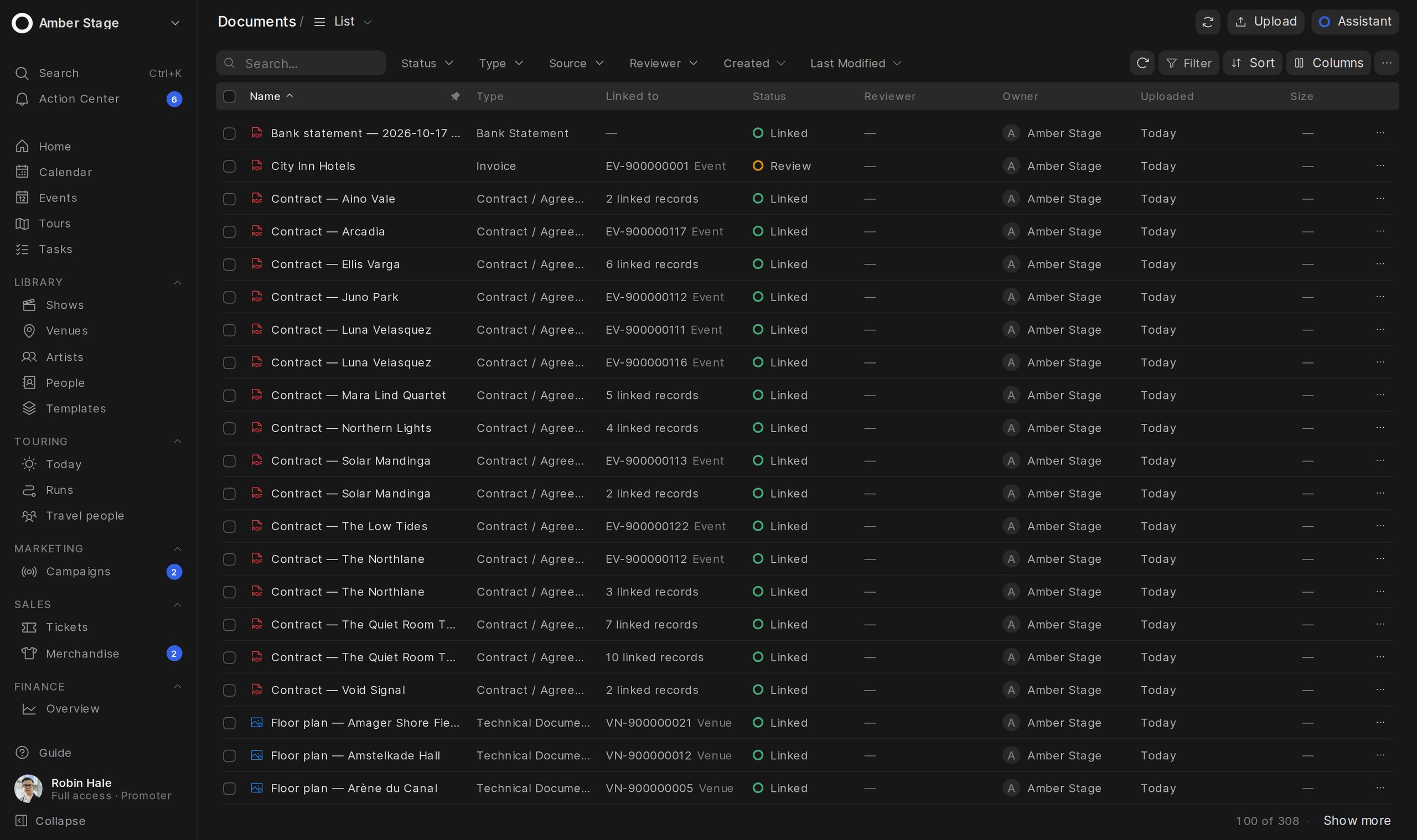
AI decides what the document is and reads the key facts. A clear receipt for one event becomes an expense by itself. Anything the AI is not sure about waits in Needs review for a person.
- Type, amount, date, number and counterparty
- A short description of what it is
- Clear receipts and invoices book themselves
- A notification with the result
Read more in the Help Center →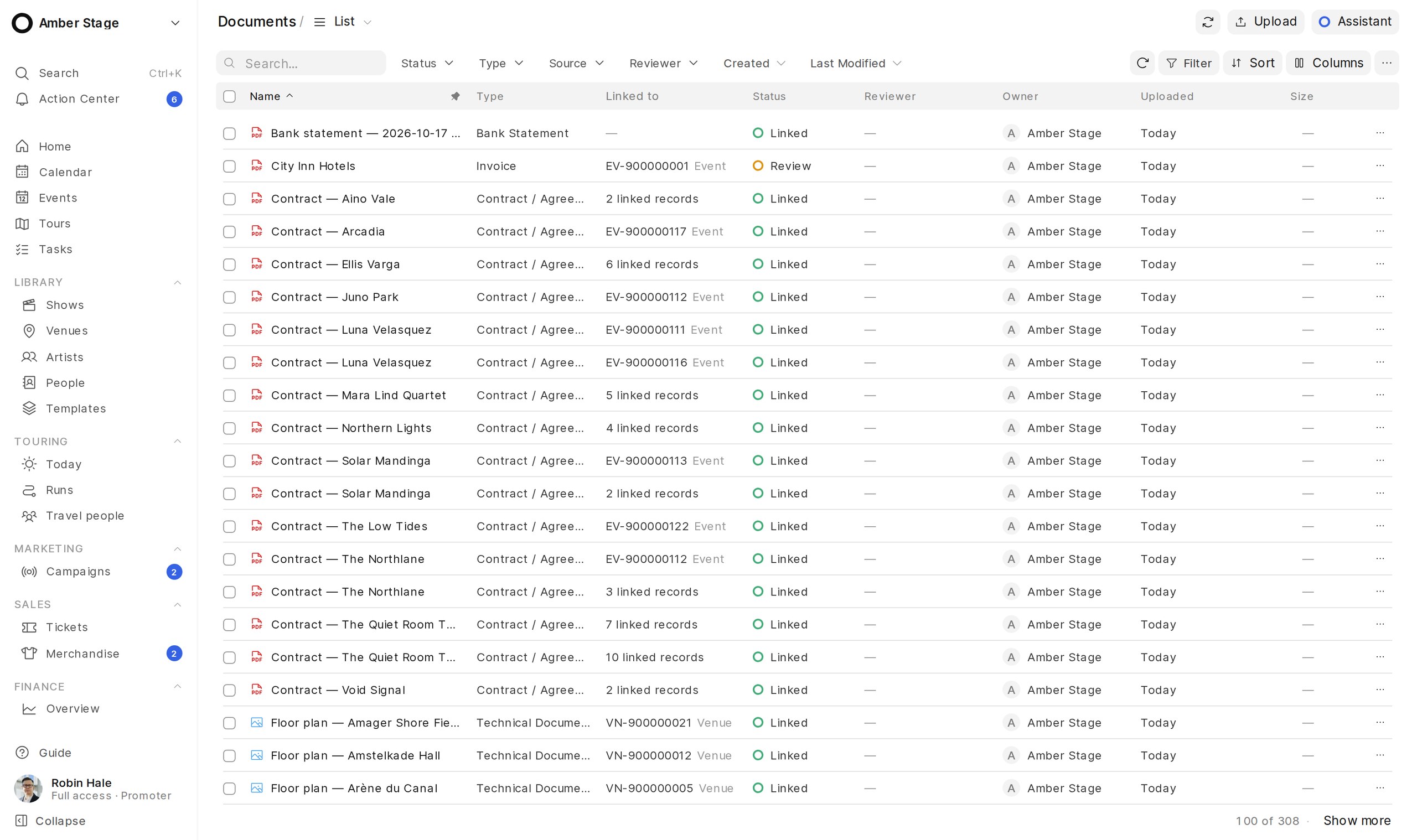
No signal? No problem.
Saved on the phone.
Uploaded when you are online.
Offline, files are kept on the phone, encrypted, and upload by themselves when the connection is back. A file that already reached OPERO is never uploaded twice, and the app deletes its own copies after upload.
- Encrypted queue on the phone
- Uploads by itself when you are online
- Never uploaded twice
- Workspace files do not stay on the phone
Read more in the Help Center →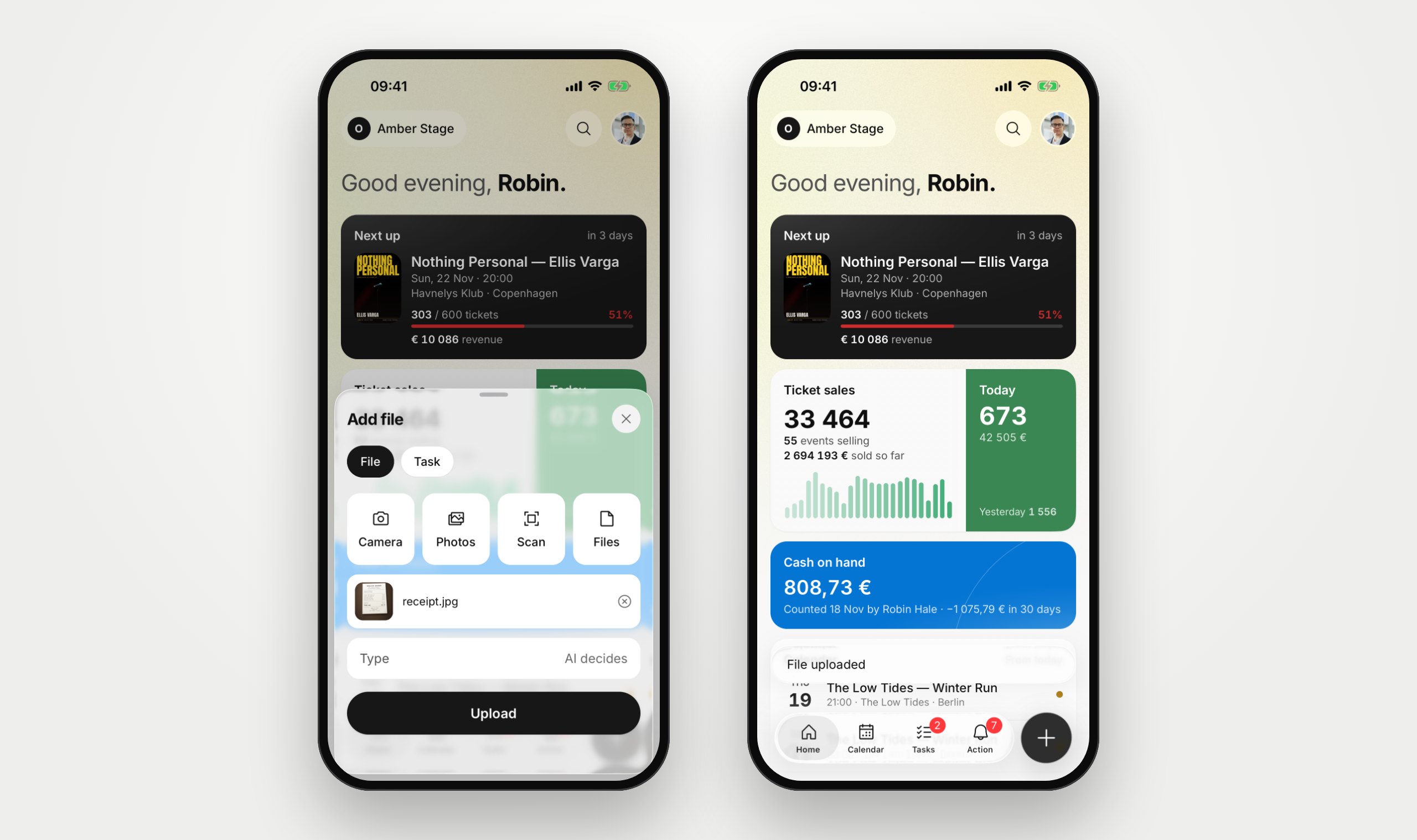
Before and after
From shoebox to budget.
Event costs get lost in pockets, chats and camera rolls. With OPERO every paper goes to the same place the moment you get it.
FAQ
Questions about Snap it
What can I photograph?
Anything you must not forget: receipts, invoices, delivery notes, contracts, riders, a stage plot or the label on a crate. JPG, PNG, WEBP, HEIC and PDF files up to 10 MB each.
Do I have to choose the document type?
No. Leave Type on “AI decides” and the AI finds out. You can still choose the type yourself.
What happens after I upload?
AI reads the document in a few seconds and files it in Documents with the facts it read and a short description. A clear receipt or invoice for one event can become an expense by itself. You get a notification with the result.
Does it work without internet?
Yes. Files are kept on the phone, encrypted, and upload by themselves when you are back online. Nothing is uploaded twice.
Is the AI always right?
The AI helps, it does not replace your check. Anything it is not sure about waits under Needs review until a person looks at it.
Which phones does it work on?
The OPERO app is on Google Play now and coming soon to the App Store.
Where can I learn more?
The Help Center explains it step by step at docs.opero.events.
Ready to simplify your event operations?