

For teams
Each role sees its own
workspace and tasks.
Finance, crew, marketing and management work on the same events, but each person sees the screens and numbers that matter for their role.
14-day free trial · No credit card · Cancel anytime
Why OPERO
Built for the whole team.
Everyone works on the same events, without seeing more than they should.
Roles and access
Full access, finance, crew, marketing or read-only for each person.
Tasks with owners
Deadlines per event, assigned to the right person on the team.
Always up to date
Changes show up for everyone as they happen, no refresh needed.
AI assistant
Ask what needs attention today.
Every team member can ask OPERO in plain words. The assistant answers from your own events and opens the right screen in one click.
 A short list of what needs attention
- Answers from your workspace data
- Sales, costs and tasks for any event
- Available on every screen

 Read more in the Help Center →


On the road
The touring party sees the same day.
The Today view gives everyone on the road the schedule, the travel and what changed, while the office sees the same plan.
- Today view for the touring party
- Travel per person and per leg
- Change requests in one list
- Live updates for office and road
Read more in the Help Center →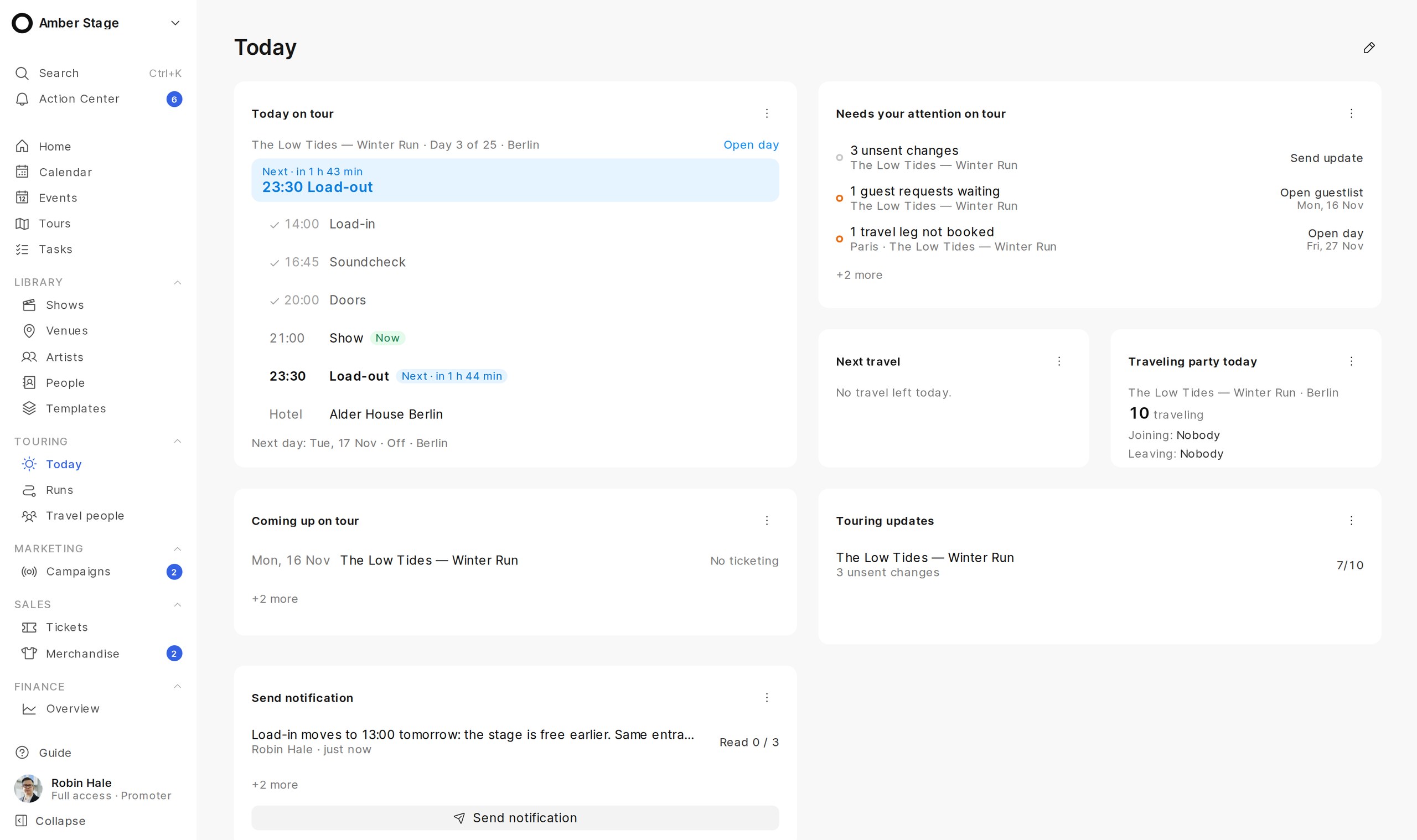

Finance
Finance sees the numbers, crew sees the plan.
Finance works with budgets, invoices and settlements. Crew sees the schedule and their tasks. Everyone works on the same event.
- Finance role for budgets and payments
- Crew role without finance details
- Marketing role for campaigns and sales
- Read-only access for partners
Read more in the Help Center →

Before and after
One workspace for every role.
Teams usually split work across chats, shared drives and inboxes. OPERO gives every role its own view of the same events.
FAQ
Questions from teams
Which roles are available?
Full access, finance, crew, marketing and read-only. Each role sees only the screens and numbers it needs.
Can freelancers and partners join?
Yes. Invite them with a limited role, for example crew or read-only, and remove access when the project ends.
How are tasks assigned?
Tasks belong to an event, have a deadline and an owner, and appear in that person’s list.
Do changes update for everyone?
Yes. Changes appear for the whole team as they happen.
Is our data private?
Each company gets its own workspace, and only people you invite can access it.
How do we start?
Start a 14-day free trial and invite your team. No credit card required.
Where can I learn more?
Every feature is explained step by step in the OPERO Help Center at docs.opero.events.
Ready to simplify your event operations?